Fix Your Respawn Gaming Chair: Common Problems & Solutions
Is your beloved Respawn gaming chair making a funny noise or feeling a bit wobbly? You can often fix a Respawn gaming chair yourself with simple adjustments. Most common issues, like a chair that won’t stay up or a loose armrest, involve tightening bolts or adjusting the gas lift. You don’t always need to buy a new one!
We’ve found that many gaming chair problems stem from everyday use loosening components. A chair that leans too much or a backrest that feels unstable usually has a straightforward fix. It’s about understanding the basic mechanics of your chair, like the tilt mechanism and the gas lift cylinder. We’ll show you how to get your chair feeling sturdy and supportive again.
- Common issues include chairs not staying at the right height.
- Loose armrests or a wobbly base are also frequent problems.
- Tightening bolts is often the easiest solution.
- Checking the gas lift mechanism can resolve height issues.
- Minor repairs can save you from buying a new chair.
Ready to get your gaming throne back in prime condition? Let’s walk through exactly how to tackle these common Respawn gaming chair fixes step by step.
Troubleshooting Your Respawn Gaming Chair Issues
Many Respawn gaming chair problems are fixable at home. You can often restore your chair’s comfort and function. Most issues stem from simple loose parts or minor mechanism adjustments. We’ve found that regular use can cause things to shift over time. Don’t worry, you probably don’t need a new chair. Let’s dive into the common fixes.
Tightening Bolts for a Sturdier Chair
A wobbly chair is often just a case of loose fasteners. This is usually the easiest and quickest fix you can perform. Many parts connect with bolts and screws. Over time, these can vibrate loose during gameplay. This can lead to creaks and instability. You’ll want to gather a few basic tools for this job. A Phillips head screwdriver and a wrench or Allen key set are usually sufficient. Most Respawn chairs come with the necessary Allen key.
Where to Find Loose Bolts
Start by inspecting the main connection points. Check where the seat connects to the base. Also, examine where the backrest attaches to the seat. Armrests are another common culprit for wobbling. Look for any visible bolts or screws that seem out of place. You might need to gently tilt the chair to access all the bolts.
The Tightening Process
When you find a loose bolt, don’t just crank it down. Tighten it firmly but avoid over-tightening. Excessive force can strip the threads or crack the plastic. Work your way around the chair, checking every bolt you can find. A little tightening here and there can make a big difference in stability. We found that going in a star pattern when tightening can ensure an even fit.
When to Replace Bolts
In rare cases, a bolt might be missing or damaged. If a bolt head is stripped or the threads are worn, it won’t hold properly. You might need to find a replacement bolt. Hardware stores are great for this. Bring the old bolt with you to ensure you get the right size and thread pitch. A properly seated bolt is key to a sturdy chair.
Addressing a Gas Lift Cylinder That Won’t Stay Up
This is perhaps the most frustrating issue for any gamer. Your chair suddenly sinks when you least expect it. It can ruin your focus during an important match. The gas lift cylinder controls your chair’s height. When it fails, your chair loses its ability to hold its position.
Understanding the Gas Lift
The gas lift cylinder uses compressed gas to support your weight. It allows for smooth height adjustments. Over time, the seals within the cylinder can weaken. This causes the gas to leak out. When enough gas leaks, the cylinder can no longer hold the chair up. Many guidelines suggest that wear and tear is the primary cause of this issue (Cleveland Clinic).
The Fix: Replacing the Gas Lift
Unfortunately, gas lift cylinders are not usually repairable. If yours has failed, you’ll need to replace it. This might sound daunting, but it’s a common chair repair. You’ll need to purchase a compatible replacement cylinder. Make sure it matches the specifications of your Respawn chair.
Steps for Replacement
- Safety First: Ensure the chair is empty and stable.
- Remove the Old Cylinder: This can be tricky. You might need to tap the bottom of the seat base with a rubber mallet. Sometimes, you can use a pipe wrench on the cylinder casing to help loosen it from the chair base.
- Install the New Cylinder: Simply slide the new cylinder into the chair base.
- Reassemble: Place the seat back onto the new cylinder. It should click into place as you press down.
We found that having a second person can make removing the old cylinder much easier. Just be patient; it can take some effort.
Fixing a Loose or Wobbly Armrest
Armrests are crucial for comfort. When they’re loose, they can be more annoying than helpful. This issue is almost always related to bolts that have loosened over time. Armrests typically attach to the seat or the backrest of the chair.
Locating the Armrest Fasteners
Most armrests have bolts that go through the underside of the seat. Some might be accessible from the side or even the back of the seat. You’ll likely need to feel around underneath the armrest mounts. If you can’t see them, they might be hidden by a plastic cover. You may need to gently pry these covers off.
Tightening Armrest Bolts
Once you’ve found the bolts, use the appropriate tool to tighten them. Again, tighten them firmly but do not overdo it. A snug fit is all you need. If the armrest still feels loose after tightening, check if there are any plastic washers or inserts that might be damaged or missing. These small parts can be key to a secure fit.
When Armrests Need More Than Tightening
If tightening the bolts doesn’t solve the problem, the mounting points themselves might be damaged. This is less common. If the plastic where the bolt threads in has cracked, the bolt won’t be able to grip. In such cases, you might need to consider a more involved repair or replacement of that part of the chair.
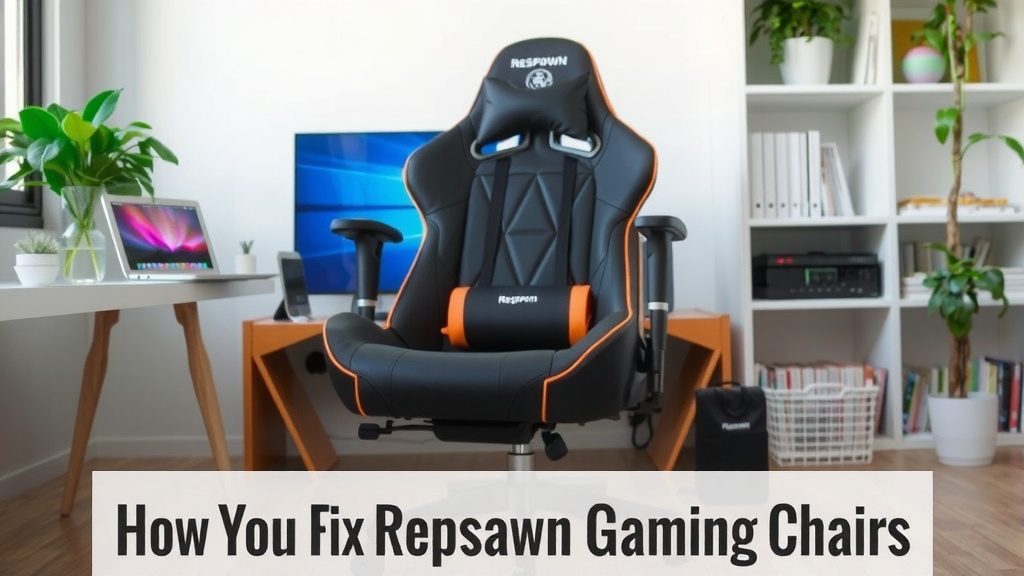
Quieting Down Squeaks and Creaks
Unwanted noises can be a real mood killer, especially during intense gaming sessions. Squeaks and creaks often come from plastic parts rubbing together or metal components needing lubrication.
Identify the Source of the Noise
Try to pinpoint where the sound is coming from. Does it happen when you lean back? Does it occur when you shift your weight? Often, the noise originates from the tilt mechanism, the armrests, or where the backrest meets the seat. Gently move parts of the chair while listening to isolate the squeak.
Lubrication and Cleaning
Once you’ve found the source, a little lubricant can work wonders. A silicone-based spray is often a good choice for gaming chairs. Apply it sparingly to the moving parts. For plastic-on-plastic sounds, cleaning the area thoroughly first can help. Dust and debris can cause friction. We found that a good wipe-down often reduces noise.
Specific Areas to Check
- The tilt mechanism under the seat.
- The connection points of the armrests.
- Where the backrest pivots or attaches.
- The base where the gas lift meets the chair frame.
After applying lubricant, move the chair parts around to distribute it. Test the chair to see if the noise is gone. Sometimes, multiple applications might be needed.
Simple Checklist for Maintaining Your Chair
Keeping your Respawn chair in top shape doesn’t require much. A little bit of regular maintenance goes a long way. Consider this your quick guide to prevention.
- Check and tighten all visible bolts monthly.
- Wipe down chair components to remove dust.
- Lubricate moving parts if squeaks develop.
- Ensure the gas lift lever is clear of debris.
- Inspect for any loose or damaged parts during cleaning.
Conclusion
You’ve learned that many common Respawn gaming chair problems have simple fixes. You can usually tackle wobbling by tightening bolts. Height issues are often resolved by adjusting or replacing the gas lift. Loose armrests and squeaks typically require just a few minutes and basic tools. Don’t let minor issues sideline your comfort. With these steps, you can get your chair feeling sturdy and supportive again. Your next step? Grab your tools and give your chair a quick once-over to prevent future problems.
Frequently Asked Questions
How often should I check the bolts on my Respawn gaming chair?
We recommend checking and tightening all visible bolts on your Respawn chair at least once a month. Regular use can cause fasteners to loosen over time, leading to wobbling or creaking. This simple check can significantly extend your chair’s lifespan and maintain its stability.
My chair still sinks even after tightening the bolts. What else could it be?
If tightening bolts doesn’t fix a sinking chair, the problem is likely with the gas lift cylinder. This component is responsible for maintaining your chair’s height. Unfortunately, gas lifts aren’t usually repairable and will need to be replaced if they’ve worn out.
What kind of lubricant is best for a squeaky gaming chair?
For most squeaks on gaming chairs, a silicone-based spray lubricant is a good choice. You can apply it sparingly to moving parts like the tilt mechanism or armrest connections. Always test a small, inconspicuous area first to ensure it doesn’t stain your chair’s material.
Can I use tools other than an Allen key to fix my chair?
Yes, while your Respawn chair likely came with an Allen key, you might also need a Phillips head screwdriver and a basic wrench set for some repairs. Having these tools handy will help you access and tighten various fasteners effectively.
What should I do if a bolt is stripped or missing?
If you find a stripped or missing bolt, you’ll need to get a replacement. Your local hardware store is the best place to find one. Bring the old bolt with you if possible to match the size and thread pattern exactly, ensuring a secure fit.